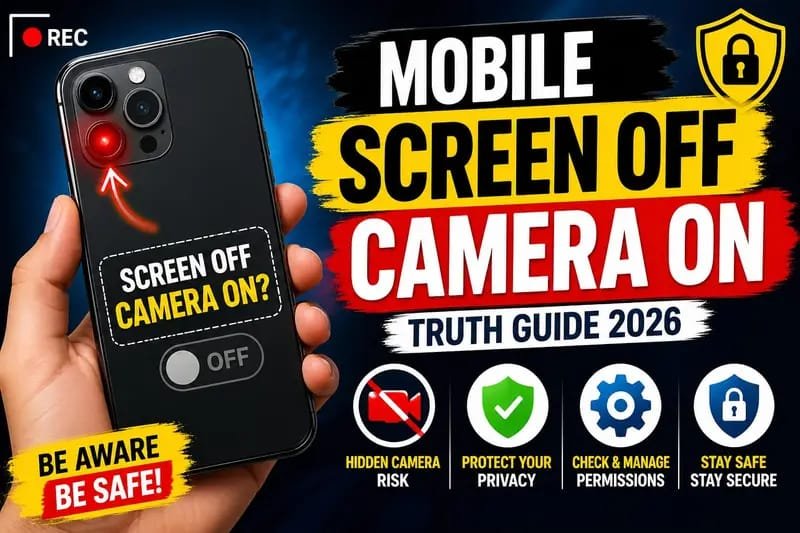
Have you ever wondered whether your phone s camera can keep recording after the screen turns off? Many people search for tricks that claim you can use the camera with the display completely black. Some videos even promise secret settings or apps that make it possible.
But how much of that is actually true?
In this Mobile Screen Off Camera On Truth Guide 2026, we’ll separate myths from facts, explain how Android and iPhone cameras really work, and discuss when the screen-off camera feature is possible and when it isn’t.
Can a Mobile Camera Stay On When the Screen Is Off?
The short answer is: Yes, but only in certain situations.
Whether your camera continues working after the screen turns off depends on:
- Your phone model
- Your operating system
- The camera app you’re using
- Your device’s power management settings
In most cases, when the screen locks completely, the default camera app stops recording to protect battery life and user privacy.
However, some specialized apps and phone manufacturers support limited background recording features.
Why Do People Want the Camera On With the Screen Off?
There are several legitimate reasons why users search for this feature.
Security Recording
Some people want to discreetly record important events for personal safety.
Wildlife Photography
Keeping the display off can save battery while waiting for animals to appear.
Battery Saving
The display consumes much more power than the camera sensor. Turning off the screen can help extend recording time if the phone supports it.
Reducing Screen Brightness
In low-light situations, a bright display may attract attention or disturb the environment.
The Truth About Viral Screen-Off Camera Tricks
Many videos claim you can simply press the power button and continue recording.
This is not true for most smartphones.
When the power button locks the phone:
- Camera access is usually suspended.
- Recording often stops automatically.
- Apps running in the foreground may pause.
Some videos create the illusion by:
- Lowering screen brightness to nearly zero.
- Using an always-on display.
- Editing the video afterward.
- Demonstrating manufacturer-specific features without mentioning device limitations.
Android vs iPhone
Android Phones
Android offers more flexibility than iPhones.
Some manufacturers include advanced camera features or allow certain third-party apps to continue recording in the background with proper permissions.
However, this behavior varies greatly between brands such as Samsung, Xiaomi, OnePlus, Vivo, Oppo, and Google Pixel.
iPhone
Apple places stronger restrictions on background camera access.
In most situations:
- Recording stops when the device locks.
- Background camera usage is heavily limited.
- Privacy protections prevent hidden camera activity.
This makes iPhones generally more predictable and secure.
Can Third-Party Apps Do It?
Some apps advertise features like:
- Background video recording
- Hidden camera mode
- Black screen recording
While some may work on specific Android devices, users should be careful.
Things to Consider
Before installing any camera app:
- Read user reviews.
- Check requested permissions.
- Download only from trusted app stores.
- Avoid apps asking for unnecessary access.
Unknown apps may compromise your privacy or collect personal data.
Privacy and Security Facts
Modern smartphones are designed with privacy in mind.
Operating systems include safeguards such as:
- Camera permission controls
- Microphone indicators
- Background activity restrictions
- Security updates
These protections help prevent apps from secretly recording users without permission.
If an app claims it can bypass all security restrictions, you should be skeptical.
Common Myths
Myth 1: Every Phone Supports Screen-Off Recording
Reality: Most phones do not support it natively.
Myth 2: Secret Codes Unlock Hidden Camera Features
Reality: There are no universal secret dial codes that enable screen-off recording.
Myth 3: Lowering Brightness Means the Screen Is Off
Reality: A dim screen is still active even if it appears almost black.
Myth 4: Background Recording Is Always Legal
Reality: Recording laws differ by country and region. Always respect local privacy laws and obtain consent where required.
Tips for Better Camera Performance
If your goal is longer recording time rather than hiding the screen, try these tips:
Reduce Screen Brightness
Lower brightness manually to save battery.
Enable Battery Saver
Battery optimization can extend recording sessions.
Use Airplane Mode (When Appropriate)
If internet access isn’t required, airplane mode reduces background power consumption.
Carry a Power Bank
Long recording sessions benefit from external battery packs.
Keep Software Updated
Updates often improve camera performance, stability, and security.
Should You Use Screen-Off Camera Apps?
The answer depends on your needs.
If you’re using a trusted app for a legitimate purpose, it may be useful on supported Android devices.
However, avoid downloading unknown applications that promise unrealistic “secret” camera features. Protecting your privacy and device security should always come first.
Final Thoughts
The truth about mobile screen off camera features in 2026 is much simpler than many online claims suggest. While some Android devices and specialized apps can support limited background recording, most smartphones stop camera activity once the screen is fully locked. iPhones are even more restrictive due to Apple’s privacy-focused design.